Guides › How to Set Up Hive Keychain: A Step-by-Step Guide (2026)
How to Set Up Hive Keychain: A Step-by-Step Guide (2026)
Published Jun 30, 2026
The one path from zero to logged in on a Hive app like igsh.tv — install Hive Keychain, add your account, and approve the login. One action per step, with screenshots.
To use Hive apps — posting videos, voting, tipping — you need a way to sign actions with your account keys. The safest way is Hive Keychain, a free tool that stores your keys and signs on your behalf, so you never type your private keys into a website.
The hardest part for newcomers isn’t Keychain itself — it’s knowing what to do next: open the app? go back to the browser? which browser? This guide is the single path from zero to logged in. Do the steps in order. Each step is one action.
Why use Keychain (and not just paste your key)
Your Hive keys are like passwords that can’t be reset. If you type them into a random site, a malicious site could steal them. Keychain keeps your keys inside itself, and websites can only request a signature — which you approve with a tap. It’s the standard, recommended way to use Hive.
The whole path, from zero to logged in
Create your Hive account & save your keys
You need a Hive account before anything else. Create one with a provider — Ecency is easiest for beginners.
→ Create your Hive account with Ecency (start here)
⚠ When your account is created, you'll be shown your Master Password and Owner Key only once — they can't be shown again later. Write them down on paper (offline) before you continue. If you lose them, the account can be lost forever, and no one can recover it for you.
Install Hive Keychain
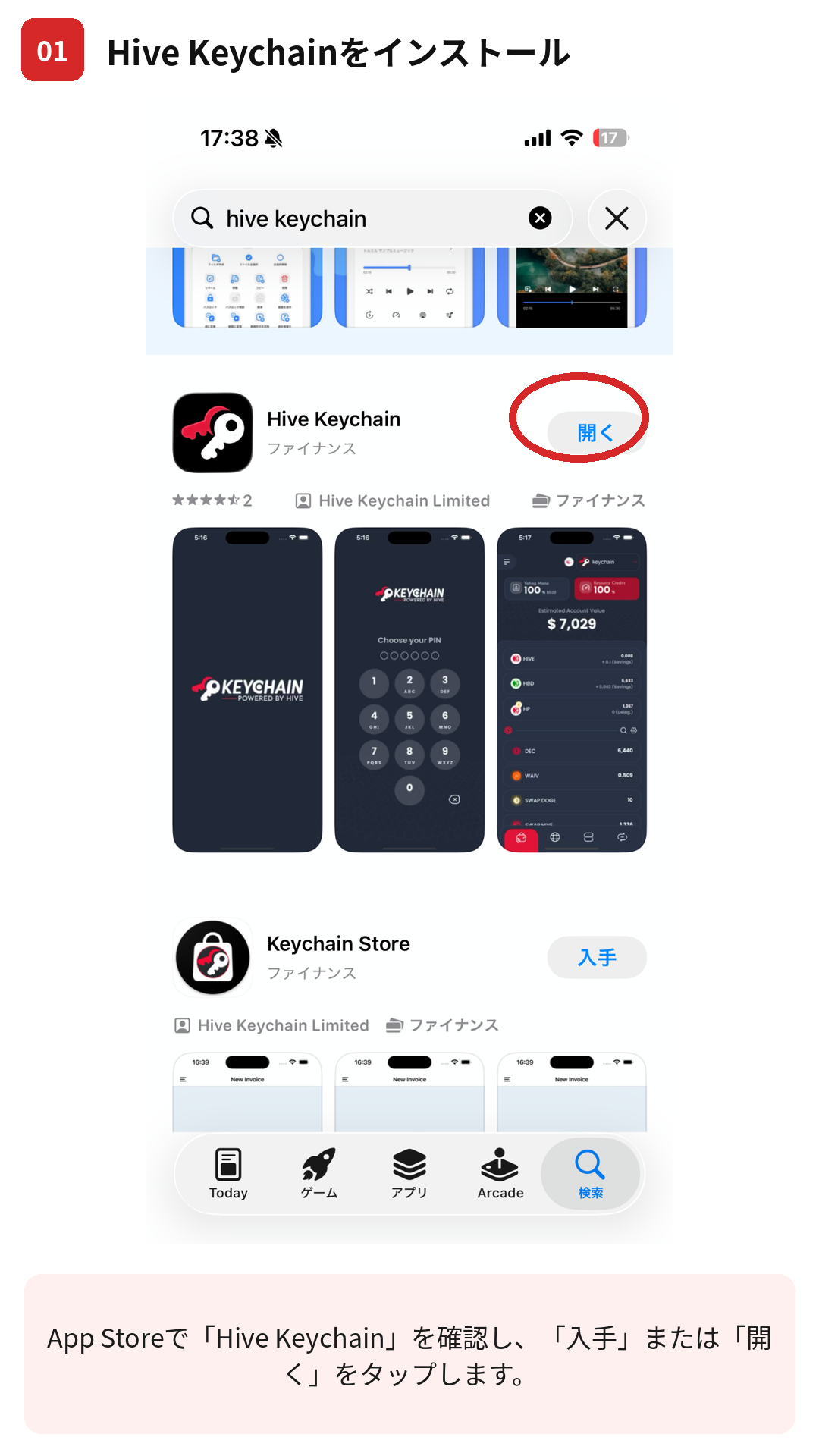
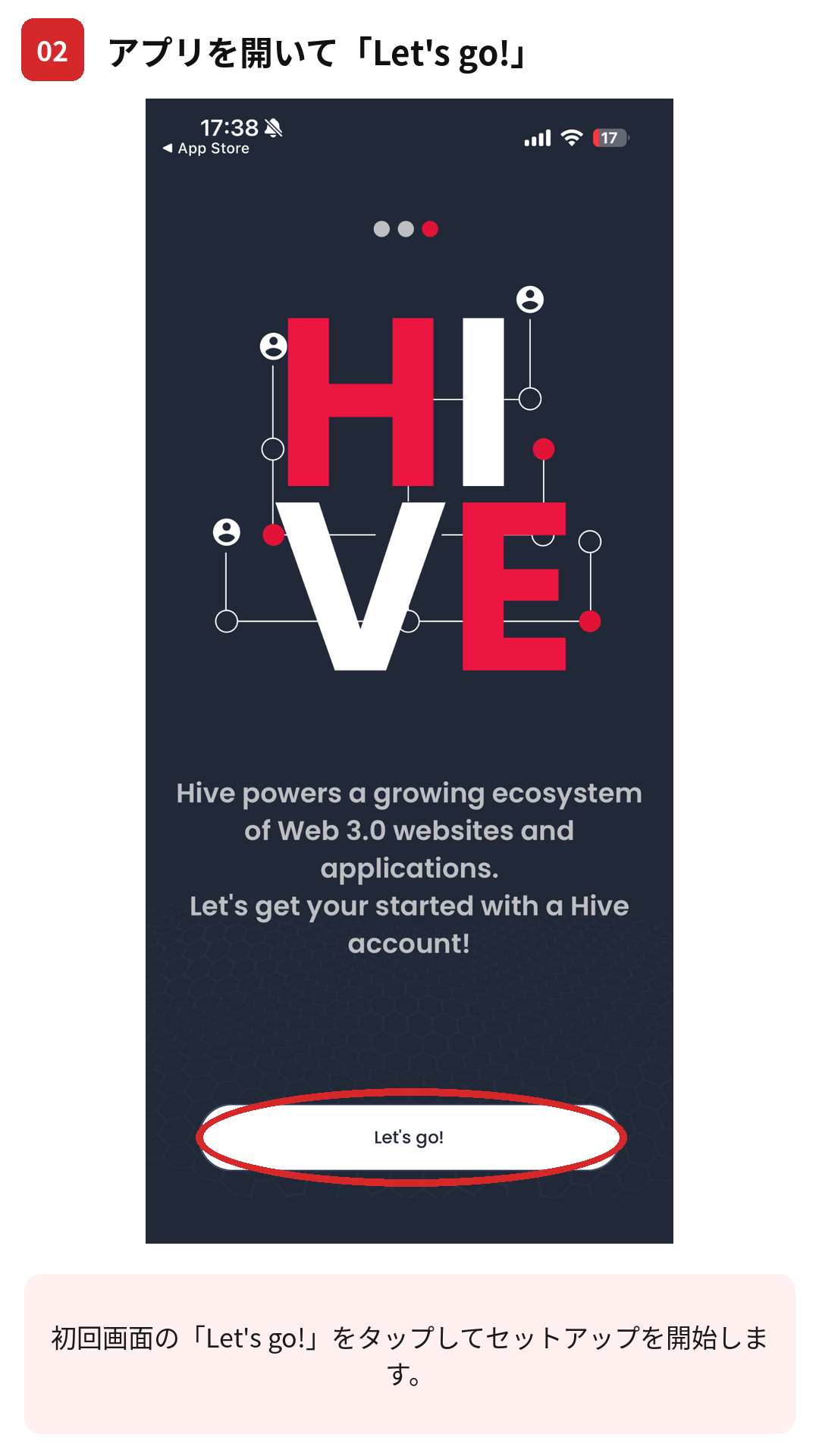
Open Keychain and tap “Let's go!”
Open the app. On the welcome screens, tap Let's go! to begin setup.
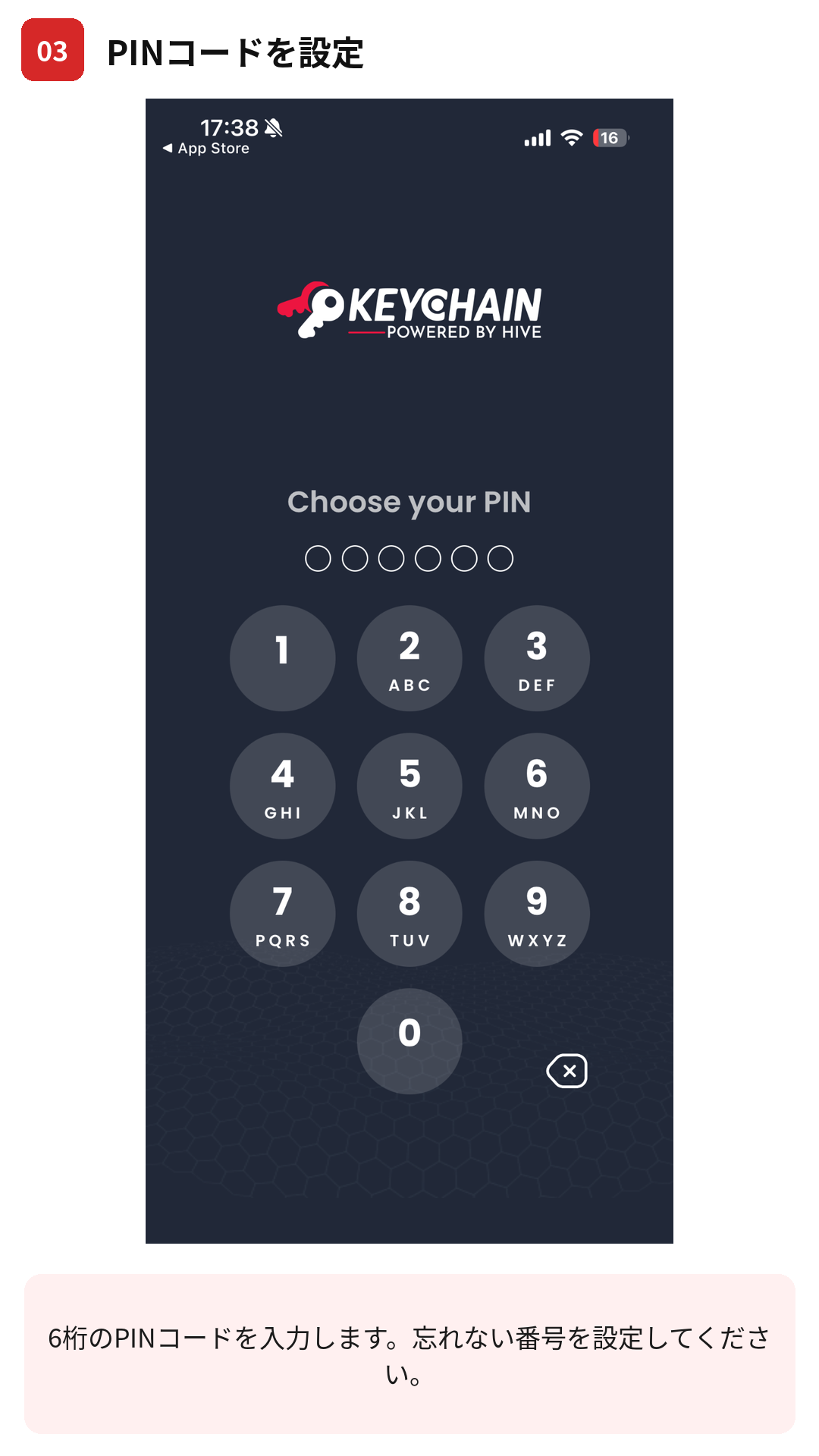
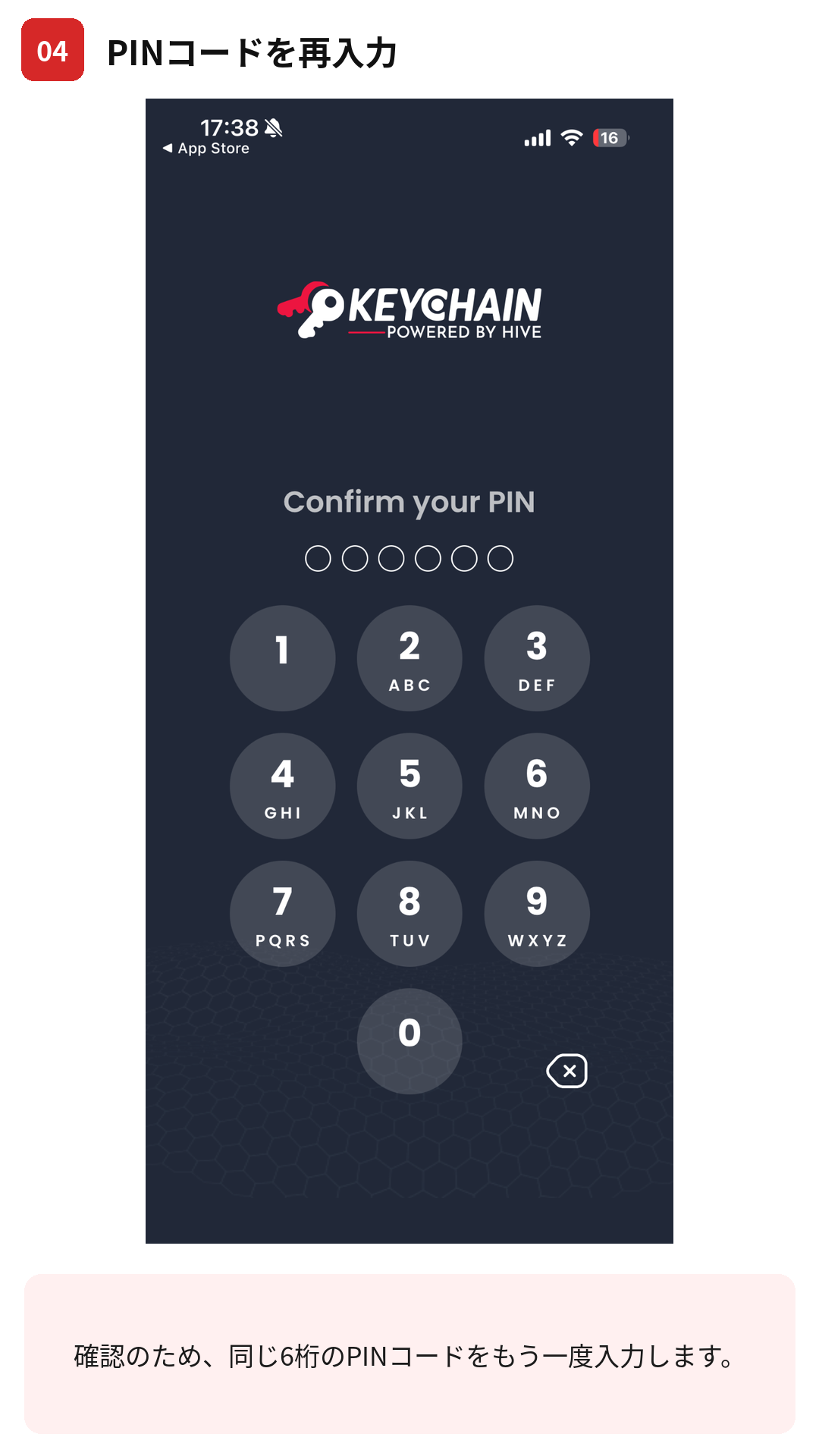
Set your PIN, then confirm it
Choose a PIN (phone app) or a password (desktop extension), then enter it again to confirm. This is a local lock on the app on your device — not your Hive account password. Remember it.
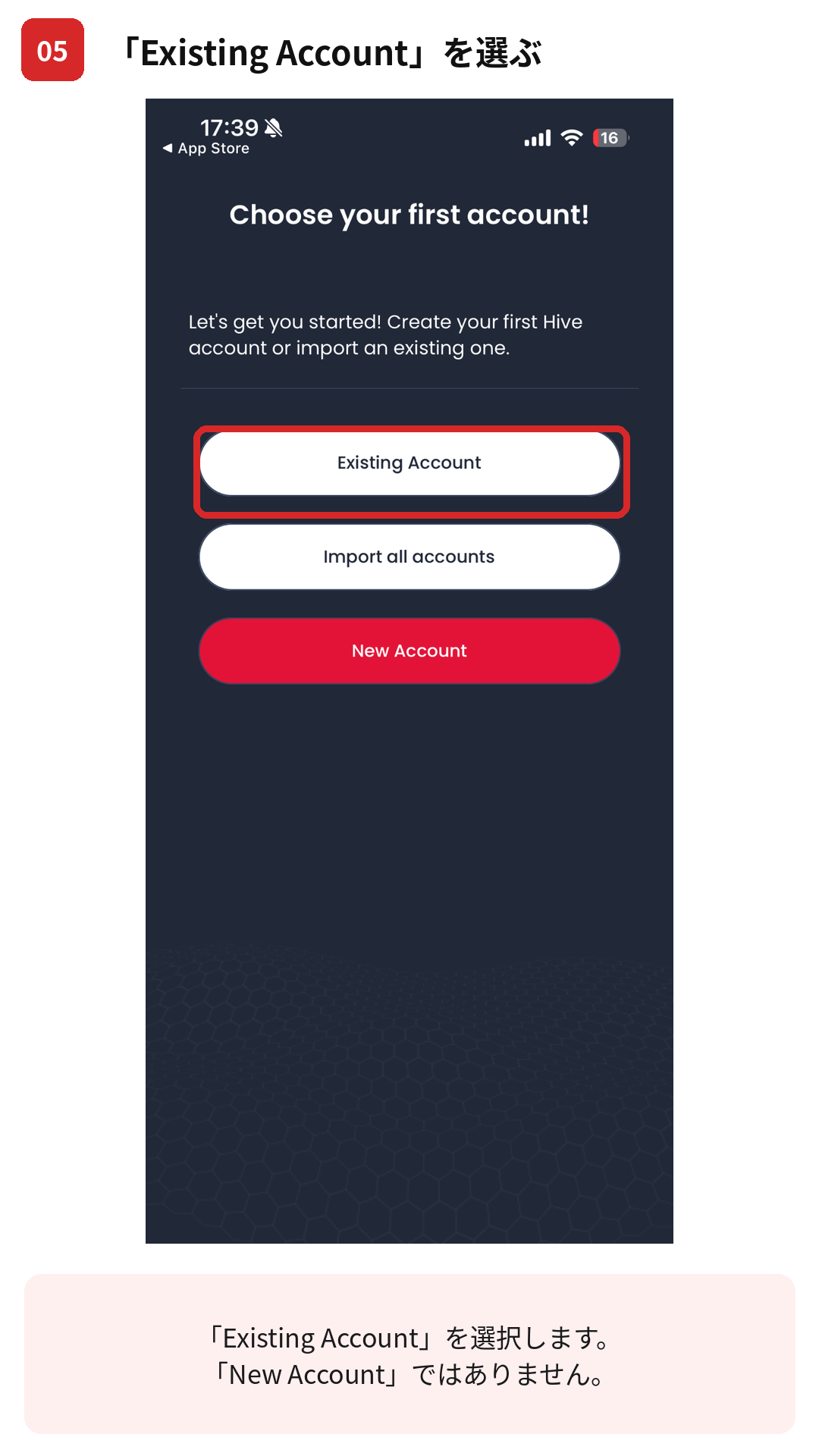
Choose “Existing Account” (not New Account)
On Choose your first account!, tap Existing Account — not New Account. (New Account creates a brand-new account and is the advanced “Create with a friend” route at the bottom of this page.)
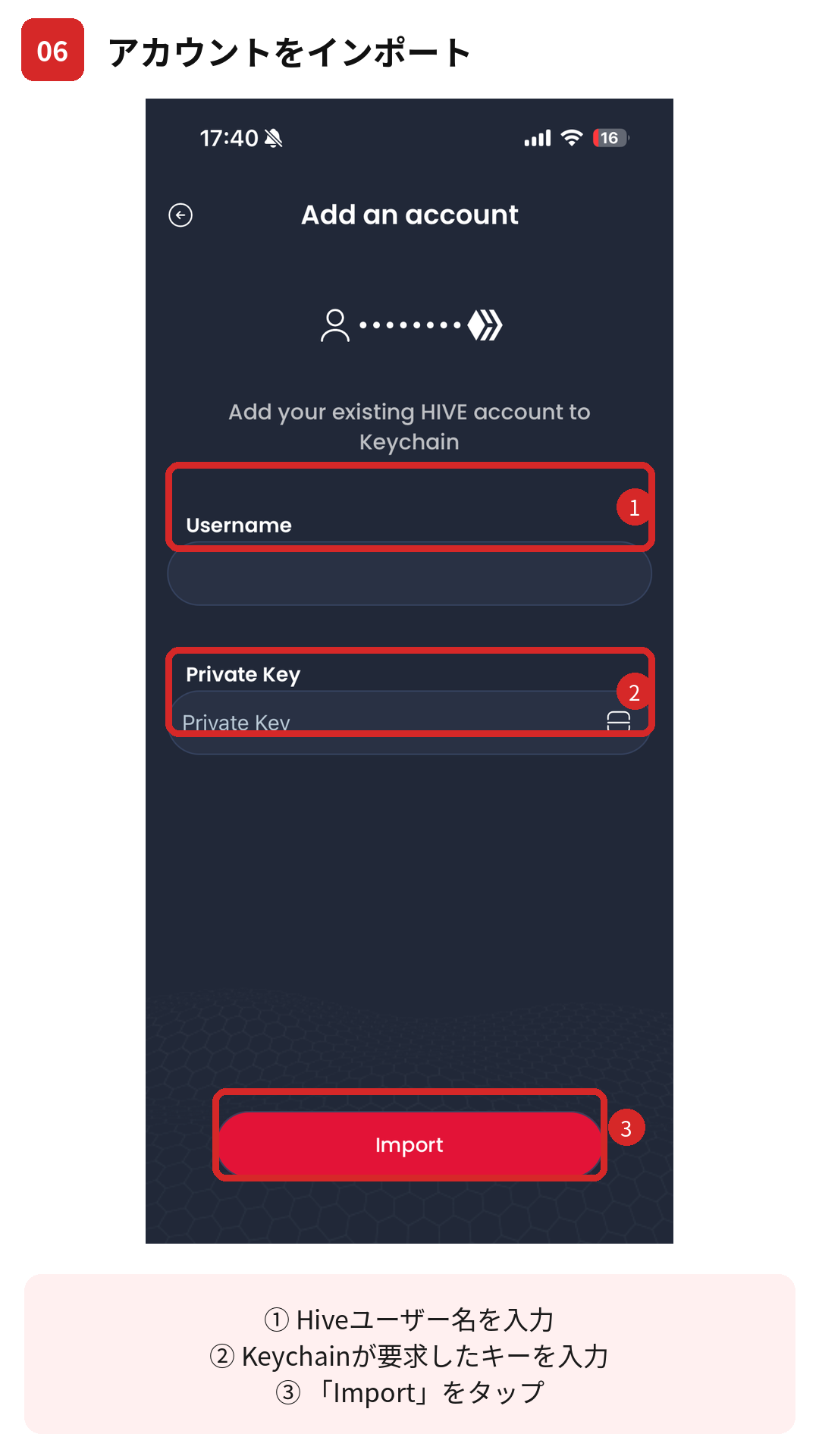
Import your account
On Add an account, enter your Hive username and the key Keychain asks for, then tap Import. (This is usually your Posting key — the everyday key for posting, voting, and logging in. The stronger Active key is only for sending money.) Keychain stores it encrypted on your device.
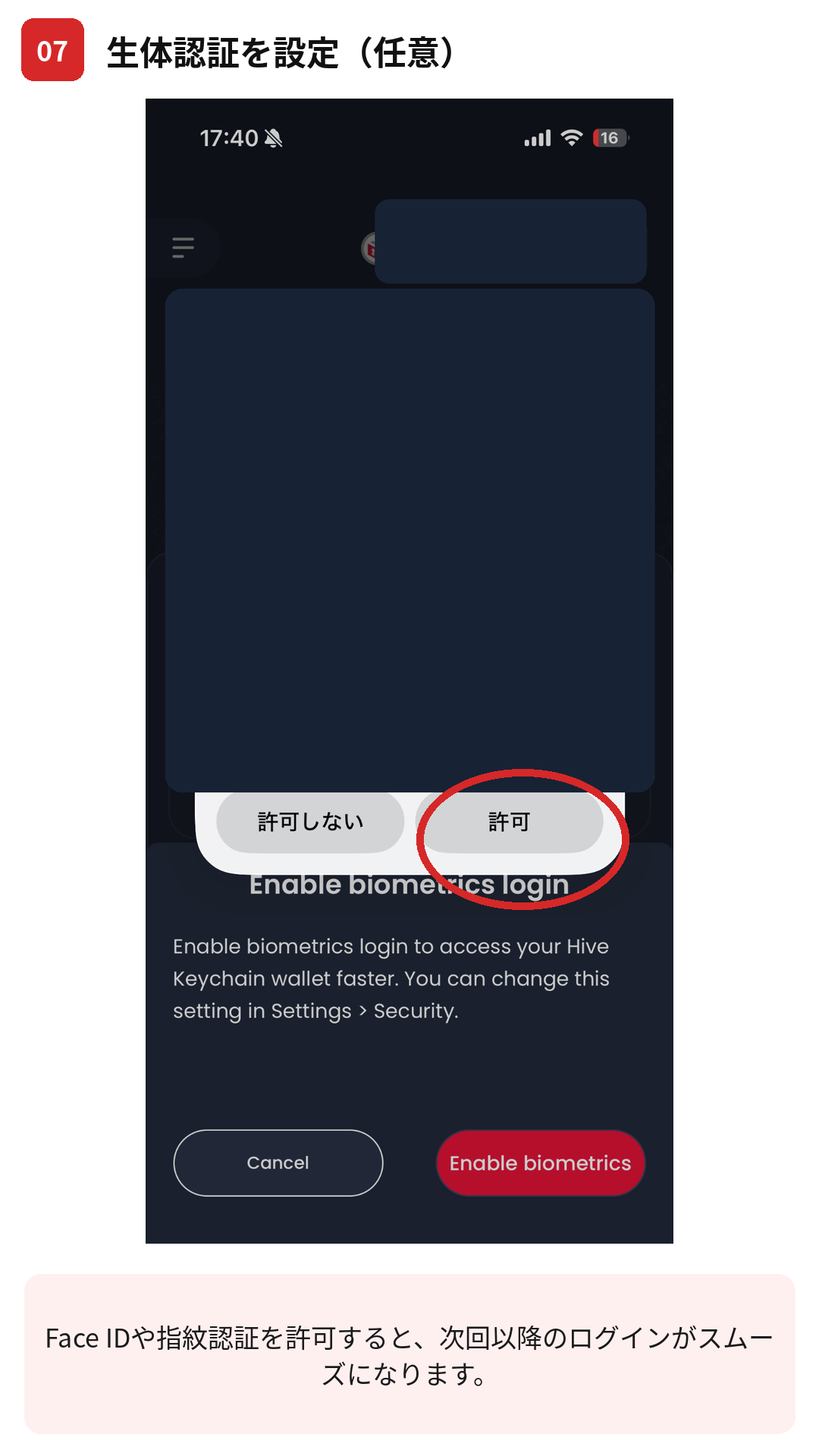
Enable biometrics (optional)
You can turn on Face ID / fingerprint to unlock Keychain faster. This is optional — skip it if you prefer, and set it later in Settings → Security.
Open igsh.tv and log in
Keychain is ready. Now open igsh.tv and sign in — where you open it matters:
Then tap Login and enter your username (no key needed here). Keychain shows a request — review it and tap Approve. That's it.
The first time you log in, Keychain asks you to approve the request. Future logins may need fewer steps.
✅ You're logged in.
Next, post your first video on igsh.tv. When you upload, vote, or tip, Keychain shows the same kind of request — review it and tap Approve.
Advanced: “Create with a friend”
Advanced option · Requires an existing Hive user
Already know someone who uses Hive? You can also create your account right inside Keychain with Create with a friend — an existing Hive user scans a QR code to create the account for you (they cover the small on-chain cost). It needs a Hive friend with spare resources, so it isn't the path for a first-timer — if you're starting from zero, use Step 1 above instead. The same rule still applies: save your Master Password and Owner Key offline the moment they appear — they can't be recovered.
Security checklist
- ✅ Only install Keychain from the official site or your phone’s official app store.
- ✅ Never type your private keys into a website — only into Keychain.
- ✅ Keep your master / owner key offline and backed up; use the Posting / Active keys for daily use.
- ❌ No legitimate site or person will ever ask you to paste your keys.
- ❌ Only approve a Keychain request you started yourself.
Keychain protects your daily keys, but your owner/master key is safest completely offline. A hardware wallet like a Ledger is the standard way serious holders store master keys and other crypto — offline, phishing-proof, and yours.
Check hardware wallets →FAQ
Is Hive Keychain free? Yes, it’s a free, open-source community tool.
Which key should I import? The Posting key for everyday use (posting, voting, logging in); the Active key only if you need to transfer funds.
On my phone, Login does nothing — why? You’re probably in Safari or Chrome. On phones, open igsh.tv inside the Hive Keychain app’s own browser (Step 5) — a normal mobile browser can’t reach the Keychain app.
What if I lose my keys? Hive keys can’t be reset, so back up your master key safely offline. This is why ownership is real — and why care matters.